
 Home — Continuous Improvement Tools
Process Improvement Tools.
Standard Work.
Work Instructions.
Flow Chart templates.
Swim Lane Cross Functional Flowchart.
Value Stream Mapping.
Lean tools.
Yamazumi Chart template.
Time Study templates.
DMAIC tools.
Quality Improvement tools.
House of Quality QFD.
FMEA Risk Reduction.
Root Cause Analysis tools.
Problem Solving tools.
OEE.
Preventive Maintenance.
Skip to main content











Installation and Setup
Installation - Each User. Installation - Multi-user. Language Translations. Personalize Your Templates.Systems2win Training.
Quick Start Initial Training. New User Training. Training Matrix. Systems2win Leadership. Training Classes.Lean Training
Lean Training and Coaching. Lean Principles. Muda 8 Wastes. Goal - Lean Flow. Roadmap - Lean Journey. Value Stream Mapping. Standard Work. Hansei Lean Thinking. Lean Dictionary. Online Lean Training. Lean Leadership.Microsoft Office Training
Excel Training. Excel Drawings (without Visio). Excel Charts. Word Training. PDF Training. Document Storage and Naming.Support
Support.Standard Work
Why standard work?
Standard Work is perhaps the single most important lean principle
because it avoids backsliding into old habits
What's so wrong with backsliding into old habits?
Standardized Work
How?
Standardized work doesn't just happen.
Without leadership,
people will naturally settle into doing things their own way.
Without Standard Work Instructions,
it's hard to remember what everyone agreed was
'the best way to do it'.
Without Standard Work templates,
it's hard to remember your standardized ways to standardize your work.
Standard Work templates
Standard Work templates empower your people
to analyze, improve, and standardize every process in every corner of your organization
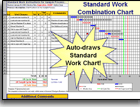
Standard Work Combination Sheet
9 tools in 1:
- Standard Work Instructions
- Time Observation
- Layout diagram spaghetti map
- Value Add analysis & pie chart
- Operator Work Load Balancing & bar chart
- Standard Work Analysis
- Standard Work Combination Chart
- Change Over setup reduction
- TWI Job Breakdown for employee training
Download free trial Standard Work Template

Yamazumi Board
also known as Workload Balancing
To rearrange tasks to eliminate waste and balance work loads.
Download free trial Yamazumi Chart template
Standard Work Chart
also known as Layout Diagram or Spaghetti Map
Draw spaghetti maps and layout diagrams with this easy-to-use Excel template (without the cost and learning curve of Visio).
Free trial — as part of the Standard Work Combination Sheet

Leader Standard Work
Edit col class for Flex item 1 How Standard Work is layered

Process Analysis
To easily hide and unhide rows of popular lean metrics, and easily use everything you know about familiar Microsoft Excel to add unlimited additional rows of unique metrics to measure results for anything importan to your process

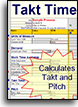
Takt Time Calculator
To calculate:
- Takt Time
- Work Time Available
- Pitch Pulse Rate
Kanban Calculator
A teachable, repeatable system to avoid common mistakes when calculating the correct number of kanbans to minimize stock outs and maximize throughput.
Very easy to use with default settings, yet powerful enough to easily handle unlimited types of Lead Time, unlimited sources of Demand, and user-defined formulas for Buffer and Safety margins.

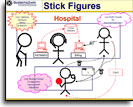
A3 Illustrator for Stick Figure Drawing
Easily illustrate PowerPoint, Word, and any other type of document with intuitive stick figure drawings that access the creative, intuitive, problem-solving side of the brain.
Especially useful for illustrating standardized work for Lean Office and Lean Healthcare
Cross Functional Flowchart
While the Standard Work Sheet is the right tool for highly repetitive processes, the Cross Functional Flowchart is often a better choice for less repetitive processes
(think sales order entry, engineering changes, and most Lean Administration processes)
Download free trial Swim Lane Flowchart
Standardized Work Instructions
The visual Work Instructions template is the right tool for training new-hires, temporaries, and cross-trained workers — by providing pictures of each step, and written training instructions that are far more detailed than is appropriate for Standard Work Instructions.
Download free trial Work Instructions template
Job Breakdown Sheet
Instructor Notes used by a supervisor or trainer to prepare to effectively train a worker using the TWI Job Instructions training method.
Free trial — as part of the Standard Work Combination Sheet
Standard Operating Procedure
This simple Word template is popular for documenting office procedures and less repetitive processes.
It comes with online help for how to insert screen shots and images, use numbered outlines, Link Icons, dynamic Table of Contents, and more features of Microsoft Word that your people probably would not use if they did not have this easy-to-use Word template with online training and videos.
Standard Work Audit
Just because you trained everyone and got them to agree to swear to always do it the best way that everyone agreed to do it... does that mean that everyone will actually do it that way?
A management axiom is: "Expect people to do the right thing — and be prepared to correct."
This Standard Work Audit form is intended to be printed and completed in handwriting as the Auditor is making observations at the work area.
Then review with the Auditor's mentor, as part of Leader Standard Work.
Keep paper archives — to have a history of progress.
5S Audit
To audit workplace cleanliness and organization.
The only way to solve problems is to reveal them.
And problems are much more easily revealed in a clean, organized workplace.
Download free trial 5S Checklist
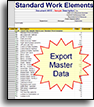
Standard Work Elements
To maintain a master list of Standard Work Elements that can be exported to multiple Standard Work documents.
Learn more about Standard Work Estimating
Tool Selection Matrix
Use your Tool Selection Matrix to choose the right tool.

Also see the other Lean Tools, Heijunka Flow, and Leader Standard Work templates that come with these templates for Lean Standard Work
Standard Work Definition
What is Standard Work?
Detailed instructions for the best proven method to produce a product or service.
Work is broken down into clearly-defined sequential work elements.
Any variations from the currently-agreed-upon best practices will probably waste time or cause quality problems.
Standard work serves as the baseline upon which to improve. If someone comes up with a better way, then standard work should be revised so that everyone does it the new better way.
Standard Work must be a foundation of any Lean Six Sigma program
It (alone) allows you to 'ratchet' your hard-earned gains — without constant backsliding into old habits.
"There is no improvement without standard work."
~ Taiichi Ohno - Toyota
The Three Basic Elements of Standard Work
- Takt Time
The rate of customer demand. Process Cycle Time must satisfy this demand.
- Work sequence
The order of steps that must be performed (operator work, walk, & wait time, and machine time)
- Standard work in process inventory (WIP)
The amount of inventory normally stocked at specified places within the process in quantities sufficient to facilitate process flow while minimizing the 7 deadly wastes.
Who needs standard work?
Standard Work Instructions
Your Standard Work Template is 10 tools in 1
- Standard Work Instructions
- Time Observation
- Layout Diagram spaghetti map
- Value Add Analysis (auto-draws pie chart)
- Operator Work Balancing (auto-draws bar chart)
- Quick Changeover tool for setup reduction
- Standard Work Analysis for both the Shift Cycle and Run Cycle
- TWI Job Breakdown for employee training
- Standard Work Combination Sheet visual time chart
- Standard Cost Estimating
Sample Standard Work examples - download free trial
This is the ideal tool to analyze a process to identify and eliminate waste.
For additional details for any work element, you can drill down to a related document
such as a training video, PowerPoint, Work Instructions, Job Breakdown, Standard Operating Procedure, flowchart, value stream map, or another Standard Work Sheet.
Any or all of these related documents can then be taped to the wall near each work station
to provide visual standard work instructions to remind workers not to cut corners or invent renegade ways of doing things that might reduce productivity or cause quality problems.
Learn more about your template for Standard Work Instructions.
Standard Work Combination Sheet
In your Standard Work template (StdWork.xlsx)
simply click a button to auto-draw the standard work table

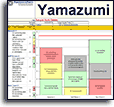
Your Yamazumi Chart template provides workload balancing analysis similar to your Standard Work Combination Chart.
Less thorough, but easier and faster to use.
It is not uncommon to use both tools to analyze the same process in different ways.
What is ISO 9000?
ISO 9000 is a set of international standards for quality.
Organizations are certified and audited
to ensure that work is actually being done
the way that it is documented.
Any of the types of Standard Work templates (at the top of this page)
can optionally be ISO 9000 templates
as long as they are controlled according to ISO 9000 standards.
Are you ready for your next audit?
Suggested Reading and Resources for
Lean Standard Work
- Creating Continuous Flow, by Mike Rother and Rick Harris
- Lean Office and Service Simplified, by Drew Locher
- Implementing TWI, by Patrick Graupp and Robert Wrona
- The TWI Workbook, by Patrick Graupp and Robert Wrona
- Standard Work for the Shop Floor, by Productivity Press
"Time waste differs from material waste in that there can be no salvage. The easiest of all wastes and the hardest to correct is the waste of time, because wasted time does not litter the floor like wasted material."
~ Henry Ford
Process Improvement
Q and A
Ask us a question and see answers to common questions about process improvement.
No, we're not going to
buy you any tools...
but we don't want any excuses when those deadlines are due
Own Yours Now
Own All 150+ Templates for
Continuous Process Improvement
Training and Coaching
Consider Training and Coaching to support your teams to succeed
Training to get you started.
Tools you won't outgrow.
Schedule a Conference
Schedule a conference
to discuss your challenges
with an experienced lean advisor